Choosing a Smartphone · Quick guide
Best Flip Smartphones for Seniors Who Want Familiar Form
For many of my readers, the familiar flip phone form factor holds a special place, making the transition to a smartphone feel daunting. But what if you could have the best of both worlds? Today, we're exploring the latest flip smartphones that blend nostalgic design with modern smart capabilities, perfect for seniors.
 By Suzy Ahn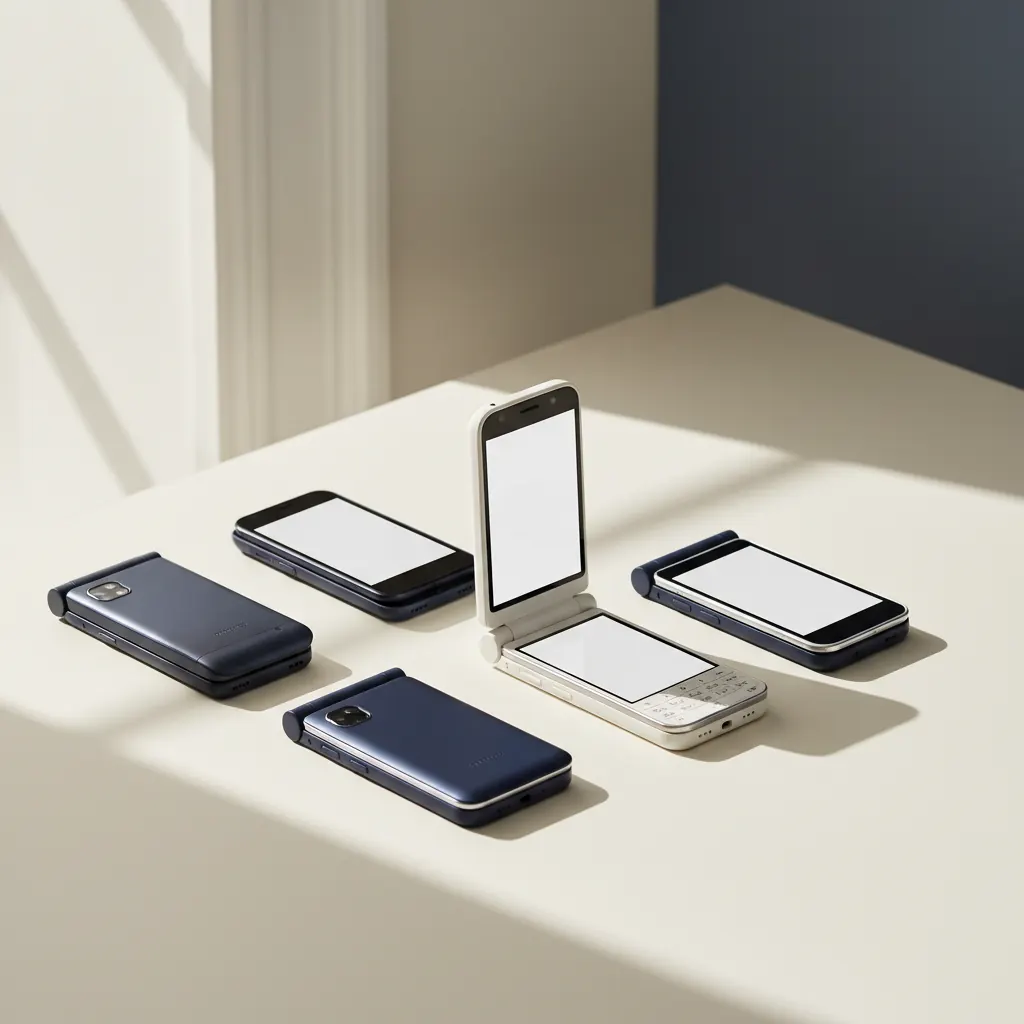
For nearly two decades, I've had the immense privilege of guiding older adults through the often-intimidating world of technology. One of the most common refrains I've heard over the years, especially when we talk about smartphones, is a longing for the simplicity and familiarity of a flip phone. 'Suzy,' a lovely gentleman named Arthur told me just last month, 'I just want something I can snap shut to hang up, and that fits neatly in my pocket without accidentally calling someone.' Arthur isn't alone. Many seniors appreciate the tactile feedback of closing a phone and the peace of mind that comes with a protected screen.
It's an understandable sentiment, and for a long time, the smartphone market didn't really offer a good answer. You either had a traditional, slate-style smartphone, or you had a very basic feature flip phone that lacked almost all modern smart capabilities. But lately, something exciting has been happening: the resurgence of the flip phone, reinvented as a 'flip smartphone.' These aren't your basic call-and-text devices; they're full-fledged smartphones that fold in half, offering that beloved clamshell design with all the bells and whistles of a modern Android or even soon, perhaps, an iPhone. This movement offers a fantastic bridge for many seniors, blending the best of both worlds. Let's delve into why these innovative devices might just be the perfect fit for you, or a senior loved one, and which ones are leading the pack.
Why Flip Smartphones are Making a Comeback for Seniors
The original flip phone was a marvel of design. It protected the screen, prevented accidental dialing, and had that satisfying 'snap' to end a call. For many, it represented intuitive physical interaction. When smartphones first arrived, with their expansive, always-on touchscreens, it felt like a leap into the unknown for some. The lack of physical buttons, the fear of dropping and cracking the screen, and the sheer number of options could feel overwhelming.
Modern flip smartphones, or 'foldables' as they're often called, address many of these concerns while embracing contemporary technology. Think of them as a traditional smartphone that has learned a neat trick: it can fold in half. When folded, they become incredibly compact, fitting into smaller pockets or purses with ease. This portability is a huge plus. My dear friend Eleanor, who has always kept her phone in a small, elegant coin purse, absolutely adores her new Samsung Galaxy Z Flip 5 because it finally fits perfectly without bulging or getting in the way. She told me last week, 'Suzy, I can finally carry my phone without needing a whole new handbag!' Her enthusiasm was infectious.
Another benefit is screen protection. When closed, the main, larger screen is safely tucked away, drastically reducing the risk of scratches or cracks from keys or coins in a bag. Many models also feature a smaller 'cover screen' on the outside, which, while folded, can display important information like the time, notifications, and even allow you to answer calls or snap quick selfies without opening the phone. This 'glanceable' information means less fiddling and fewer steps to get the basic info you need.
The Best Flip Smartphones for Seniors Right Now
While the foldable market is still relatively niche compared to traditional smartphones, it's growing rapidly, and several manufacturers are producing excellent flip-style devices. When recommending these to my students, I always focus on ease of use, durability, and a clean software experience. Here are the top contenders that I believe offer the best experience for seniors.
Samsung Galaxy Z Flip Series: The Mainstream Marvel
The Samsung Galaxy Z Flip series, currently in its fifth iteration with the Z Flip 5 (as of late 2023/early 2024), is arguably the most well-known and refined flip smartphone on the market. Samsung has truly invested in perfecting this form factor, and it shows. For seniors, the Z Flip offers a fantastic combination of cutting-edge technology and user-friendly features.
Design and Portability
When closed, the Galaxy Z Flip 5 is a sleek, compact square that easily slips into even small pockets or handbags. This is a huge selling point for many, as larger, traditional smartphones can feel cumbersome. The build quality is excellent, with a durable 'Armor Aluminum' frame and Gorilla Glass Victus 2 on the cover screen and back. The hinge feels robust and secure, inspiring confidence when opening and closing the device hundreds of times a day.
The Cover Screen
One of the biggest improvements in the Z Flip 5, particularly relevant for seniors, is its significantly larger 'Flex Window' cover screen. This 3.4-inch display is much more useful than previous generations. Without even opening the phone, you can do so much: check the time and date, view notifications at a glance, control music playback, check weather forecasts, set timers, and even reply to text messages using a full QWERTY keyboard (though it's small, it's there!).
For someone who just wants to see who's calling before answering, or quickly check a text without fully engaging with the phone, this larger cover screen is a game changer. My student, Clara, who often has her hands full with gardening, described it as 'a lifesaver for seeing if it's the doctor without getting dirt all over the big screen.'
The Main Screen and Software
Open the Z Flip 5, and you're greeted with a beautiful, vibrant 6.7-inch AMOLED display. This is a standard smartphone experience but with the added benefit of being able to fold it shut. Samsung's One UI software, layered over Android, is known for its clarity and customization options. You can easily adjust font sizes, icon sizes, and even switch to 'Easy Mode' (Settings > Display > Easy Mode) for a simplified home screen with larger icons and text, making it much less overwhelming for new smartphone users.
The ability to 'flex' the screen (half-open it) allows for unique ways to interact. For video calls, you can prop the phone on a table like a mini laptop, leaving your hands free – perfect for chatting with grandkids. The cameras are also excellent, capturing clear, bright photos without needing complicated settings.
Key Considerations for the Z Flip 5
- Price: It's a premium device, so expect a higher price tag. However, carriers often offer good trade-in deals or monthly payment plans.
- Crease: There is a slight, visible crease across the middle of the main folding screen. While you tend to get used to it quickly, it is present.
- Battery Life: While improved, it's generally considered 'all-day' rather than multi-day. Charging overnight is usually sufficient for most users.
Motorola Razr+: Stylish Retro Meets Modern Functionality
Motorola was one of the original pioneers of the flip phone, and their Razr line holds a special nostalgic place for many. The modern Motorola Razr+ (known as the Razr 40 Ultra in some markets) embraces this heritage while delivering a fantastic Android smartphone experience. It's a direct competitor to the Z Flip series and, in some ways, offers an even more striking design.
Design and Nostalgia
The Razr+ is remarkably thin and lightweight, even when unfolded. Its design is undeniably stylish, harkening back to the classic Razr V3 with a more premium, modern twist. The hinge design allows it to close almost perfectly flat, with no discernible gap, which some users prefer over the Z Flip's slight wedge. The materials feel luxurious, often incorporating vegan leather or frosted glass backs. If you're looking for a phone that feels good in the hand and looks elegant, the Razr+ is a strong contender.
The Cover Screen: A Full-Fledged Experience
Similar to the Z Flip 5, the Razr+ has a generous cover screen. In fact, its 3.6-inch pOLED external display almost takes up the entire front cover in some models. This larger screen means you can do even more without opening the phone. You can run full apps on it, scroll through social media feeds, watch short videos, and even play simple games. For a senior who wants quick access to frequently used apps or just wants to check their messages without fully committing to opening the phone, this is incredibly convenient. It's like having a mini-smartphone always ready.
Main Screen and Performance
When unfolded, the Razr+ reveals a beautiful 6.9-inch pOLED display. Motorola's approach to Android is often closer to a 'stock' or pure Android experience than Samsung's One UI, which some users find cleaner and simpler. Motorola does add some helpful gestures, like a 'chop-chop' motion to turn on the flashlight or a 'twist' motion to launch the camera, which can be quite intuitive once learned. These 'Moto Actions' are often favorites among my students who appreciate quick shortcuts.
The performance is excellent, handling everyday tasks with ease. The cameras are very capable for snapshots and video calls. Motorola also has a good track record of providing useful accessibility features within Android's core settings, such as magnification gestures (Settings > Accessibility > Magnification) and Live Caption for transcribing audio in real time, which can be invaluable for those with hearing difficulties.
Key Considerations for the Razr+
- Battery Life: Similar to the Z Flip, expect a solid day of use rather than multi-day.
- Software Updates: While good, Motorola's update schedule can sometimes be a bit slower than Samsung's or Google's.
- Price: Also a premium device, comparable to the Z Flip 5.
Why Not the Google Pixel Fold? (And Other Folds)
You might have heard of other foldable phones, like the Google Pixel Fold or Samsung's Galaxy Z Fold series. These are fantastic devices, but they differ significantly from the 'flip' form factor we're discussing. The Pixel Fold and Z Fold phones open up like a book, transforming a regular-sized smartphone into a small tablet.
While incredibly versatile for productivity and media consumption, they are generally larger, heavier, and significantly more expensive than the flip phones. Their primary benefit is the large tablet-like screen when unfolded, which, while appealing for some, might be overkill for seniors specifically looking for the compact, flip-style closure. The 'tablet in your pocket' form factor is a different kind of convenience, and often involves a steeper learning curve due to the dual main screen sizes and how apps adapt. For the goal of a familiar, compact flip, I usually steer my students towards the Z Flip or Razr+.
Key Features to Look for in a Flip Smartphone
When helping my students choose a new phone, whether it's a flip or traditional style, I always emphasize a few core features that enhance usability and overall satisfaction. Here’s what to keep in mind:
1. Large, Clear External Display
As discussed with the Z Flip 5 and Razr+, a larger, more functional cover screen is a major advantage. It allows for quick checks of notifications, time, weather, and even responding to messages without constantly opening the main display. This reduces wear and tear on the hinge and the main screen, and simply makes day-to-day interactions quicker and easier.
2. Ease of Software Navigation
Both Samsung's One UI and Motorola's clean Android approach offer good customization for accessibility. Look for phones that allow you to easily adjust text size (Settings > Display > Font size and style on Samsung; or Settings > Display > Display size and text on Motorola and Google Pixel), icon size, and even offer a simplified 'Easy Mode' or similar feature. These adjustments make a monumental difference in readability and tap accuracy, especially for those with declining eyesight or dexterity. We covered some of these core Android adjustments in a previous article on setting up an Android phone for seniors, which you might find helpful.
3. Good Camera Quality
Smartphones are often the primary camera for many seniors who want to capture moments with family, pets, or hobbies. Ensure the phone has a capable camera that takes good photos in various lighting conditions without requiring extensive manual adjustments. The Z Flip and Razr+ both excel in this area, offering point-and-shoot simplicity with excellent results.
4. Battery Life
Ideally, you want a phone that can comfortably last a full day of moderate use. While flip smartphones generally have slightly smaller batteries than their traditional slab counterparts due to space constraints, the current models are designed to get you through the day. If you're a heavy user, or forget to charge frequently, consider getting an external battery pack for peace of mind. I always tell my students to make a habit of charging every night, just like brushing their teeth!
5. Durability and Water Resistance
While folding screens are more delicate than rigid ones, manufacturers have made huge strides in durability. Most modern flip smartphons feature some level of water resistance (often IPX8, meaning it can withstand submersion in fresh water for certain periods, but not dust resistance). Look for models with strong glass protection on the cover screen and robust hinge designs. Accidents happen, and a durable phone offers peace of mind.
Making the Switch: Tips for a Smooth Transition
Even with a familiar form factor, transitioning to a new smartphone can still feel like a big step. Here are some tips I share with my students to make the process as seamless as possible:
- Start Simple: Don't try to learn everything at once. Focus on the core functions first: making calls, sending texts, taking photos, and checking essential notifications. Gradually explore new features as you feel more comfortable.
- Customize for Comfort: Immediately adjust text size, display brightness, and sound volumes to your preferences. Set up an emergency contact and ensure 'Find My Device' is enabled. Consider simplifying your home screen by removing unnecessary app icons and using folders to organize similar apps.
- Practice Makes Perfect: Spend time each day interacting with your new phone. Send practice texts to family members, make a few calls, and experiment with the camera. The more you use it, the more natural it will feel.
- Lean on Support: Don't hesitate to ask for help! Whether it's a patient family member, a friend, or resources like Astoria Net Shop, there's always someone to guide you. Many phone manufacturers also offer excellent online tutorials and customer support.
- Patience and Persistence: Learning something new takes time and patience, especially when it comes to technology. There will be moments of frustration, but don't give up. Remember the benefits a modern smartphone can bring – connecting with loved ones, accessing information, and staying safe. For further guidance on getting started with any new smartphone, take a look at our guide to setting up an iPhone for seniors (many concepts are universal) or our aforementioned Android guide.
The re-emergence of the flip smartphone is a wonderful development for many older adults. It offers a unique blend of nostalgic design, compact portability, and the full power of a modern smartphone. If you've been hesitant to make the leap to a smartphone because you miss your old flip phone, now might be the perfect time to give these innovative devices a closer look. They truly offer the best of both worlds, and with a little patience, you'll be snapping your way through the digital world with confidence and style.
Watch & learn
Recommended video: How to Choose a Phone for an Older Parent
A companion tutorial from AARP. We link to a YouTube search so you always get a current, working version.
Watch “How to Choose a Phone for an Older Parent” on YouTubeOpens a YouTube search in a new tab · AARPKey takeaways
- Flip smartphones offer a familiar clamshell design combined with full smartphone capabilities, ideal for seniors who appreciate portability and screen protection.
- The Samsung Galaxy Z Flip 5 and Motorola Razr+ are top contenders, both featuring useful external 'cover screens' for quick information and interaction without opening the phone.
- Look for features like a large, clear external display, easy software navigation (with adjustable font/icon sizes), good camera quality, and all-day battery life.
- While premium, these devices simplify the transition to a smartphone by retaining a beloved form factor.
- Patience, practice, and customizing settings like font size are key to a smooth transition to any new smartphone.
Frequently asked questions
- Are flip smartphones durable?
- Yes, modern flip smartphones like the Samsung Galaxy Z Flip 5 and Motorola Razr+ have significantly improved durability. They feature stronger glass, robust hinges, and often have water resistance ratings. While the folding screen is more delicate than a traditional slab display, the design protects the main screen when closed.
- Is the crease on the folding screen noticeable?
- Yes, there is typically a visible crease across the middle of the main folding screen on most flip smartphones. While noticeable at first, most users report that they quickly get used to it and it becomes less apparent during regular use. Quality and prominence of the crease can vary slightly between models.
- Can I use apps on the small external screen?
- Yes, many modern flip smartphones, particularly the latest Samsung Galaxy Z Flip 5 and Motorola Razr+, feature significantly larger and more functional external 'cover screens.' You can often view notifications, control music, check weather, respond to messages, and even run certain full applications without opening the phone. The Razr+ is particularly known for its extensive cover screen functionality.
- Are flip smartphones more expensive than regular smartphones?
- Generally, yes. Flip smartphones incorporate advanced folding screen technology and specialized hinges, which makes them premium devices. They tend to be priced higher than standard slab-style smartphones with comparable specifications. However, pricing varies by model and carrier promotions often make them more accessible.
- What's the difference between a 'flip' smartphone and a 'fold' smartphone?
- A 'flip' smartphone (like the Z Flip or Razr+) folds vertically, essentially making a standard-sized smartphone half its height when closed. This prioritizes compactness. A 'fold' smartphone (like the Galaxy Z Fold or Pixel Fold) folds horizontally, opening up from a regular smartphone size to a larger, tablet-like display. This prioritizes screen real estate for productivity and media.